01
Browse logins, notes, cards, identities, SSH keys, Wi-Fi entries, passkeys and Sends in a native SwiftUI interface
Native Vaultwarden workflows for macOS
A native macOS client for Vaultwarden.
A SwiftUI vault client for Vaultwarden that brings passwords, passkeys, TOTP, AutoFill, CLI secrets and SSH keys into native macOS workflows.
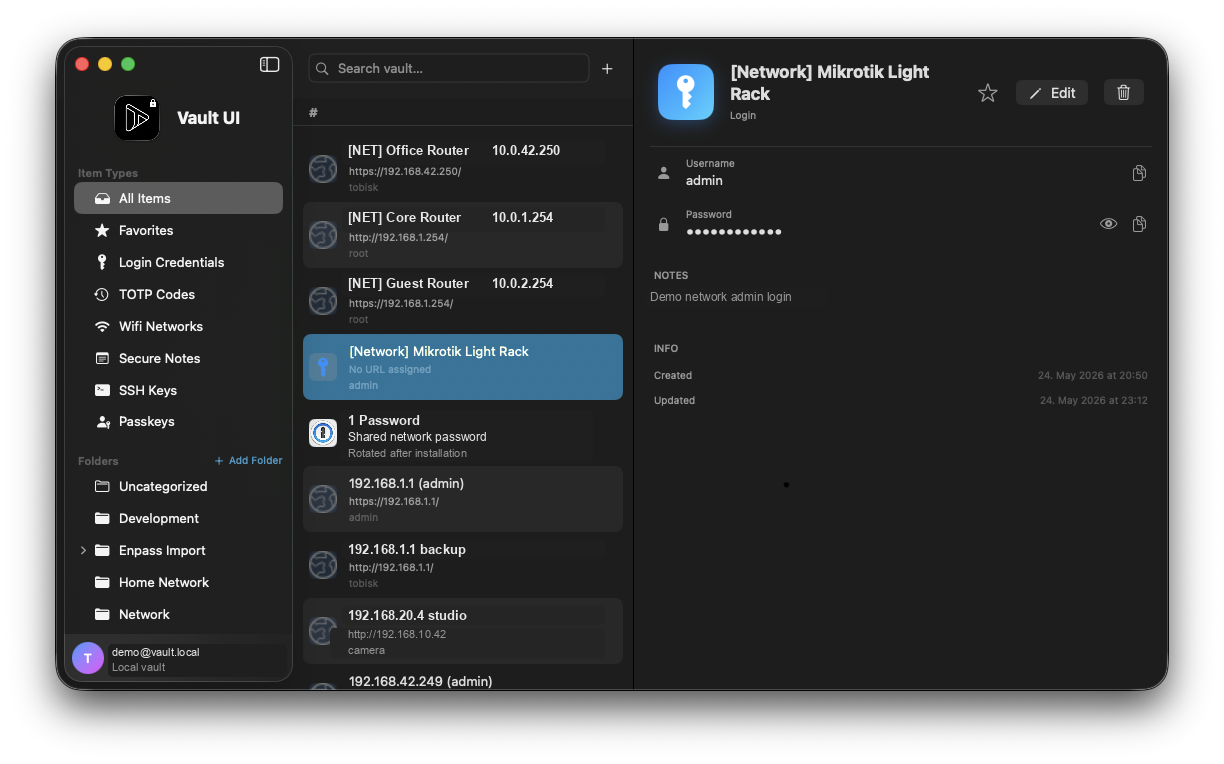
Inside the application
See the native vault browser, macOS AutoFill flow and CLI secret workflow that connect Vaultwarden to daily development work.
Browse Vaultwarden items in a SwiftUI app that follows macOS sidebar and detail-view conventions.
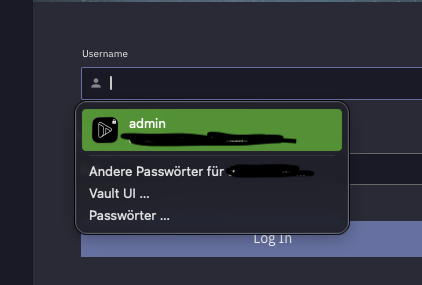
Credential suggestions appear in native macOS AutoFill surfaces instead of requiring a separate browser-style workflow.
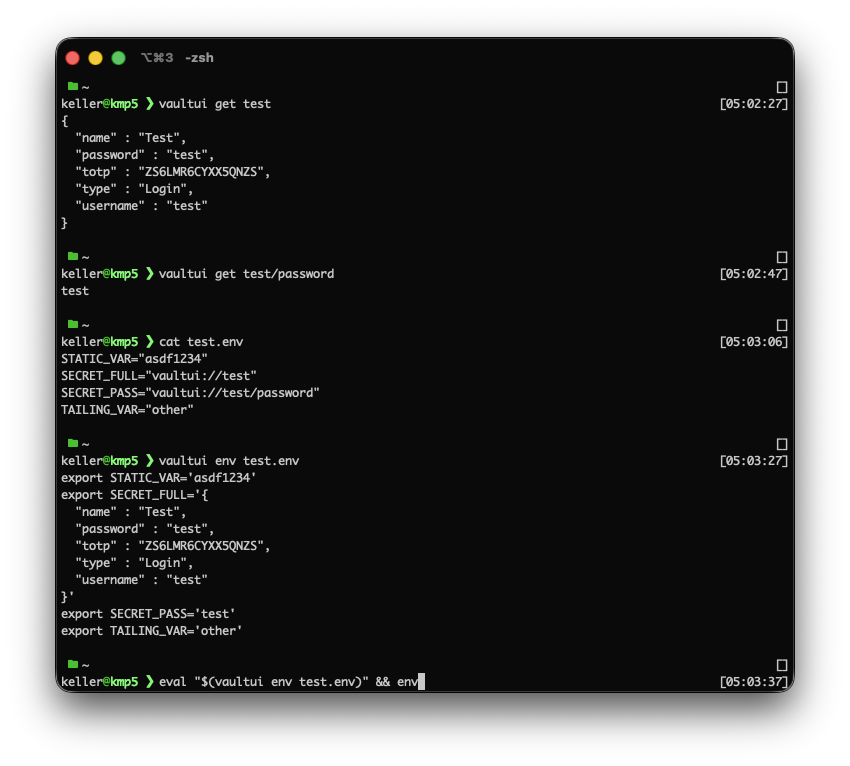
The CLI resolves vaultui:// references and SSH keys through local authentication, which keeps agent-era workflows away from standing plaintext secrets.
Why it exists
Bitwarden and Vaultwarden are excellent foundations for self-hosted password management. The official Mac client, however, brings the usual Electron trade-offs and felt far enough behind Apple Passwords in day-to-day usability that I found myself drifting back to Apple's built-in tool.
Vault UI is my native macOS answer to that problem. It targets Vaultwarden, keeps encrypted local data, integrates with system AutoFill, supports TOTP and passkey workflows, and adds developer-facing secret access without leaving long-lived plaintext secrets lying around.
What it does
Vault UI brings a Vaultwarden vault into macOS surfaces that feel closer to the system: AutoFill, local authentication, CLI secrets and SSH agent access.
Browse logins, notes, cards, identities, SSH keys, Wi-Fi entries, passkeys and Sends in a native SwiftUI interface
Sync with Vaultwarden while storing encrypted vault data locally for offline-first use
Use native macOS AutoFill surfaces for Safari and system credential fields
Generate TOTP codes, work with passkeys and keep local authentication in the unlock path
Resolve vaultui:// references from env files through the CLI without committing plaintext secrets
Expose vault-backed SSH keys through a local SSH agent socket for development workflows
Open source, ready to explore
Under the hood
Vault UI is built as a Swift package with separate modules for the app UI, services, sync, API access, cryptography, SSH agent support and CLI commands.
The app uses Bitwarden-compatible cryptographic primitives, encrypted local persistence and macOS Keychain-backed local authentication. It is open source, but it is not a formally audited password manager.
I directed the product, native platform integration, security boundaries and local-agent workflows while agents implemented most of the application. The work stays technical and architecture-led, but does not require me to hand-write every implementation detail.
AI tools and models
Claude Opus 4.8 and Gemini 3.1 Pro