01
Drop MP3 files or folders into a native SwiftUI macOS interface
Native MP3 tagging for albums and audiobooks
Bulk MP3 tagging for audiobooks and albums.
A native SwiftUI app for arranging MP3 files, previewing audio, setting track numbers and writing ID3 metadata in bulk.

Inside the application
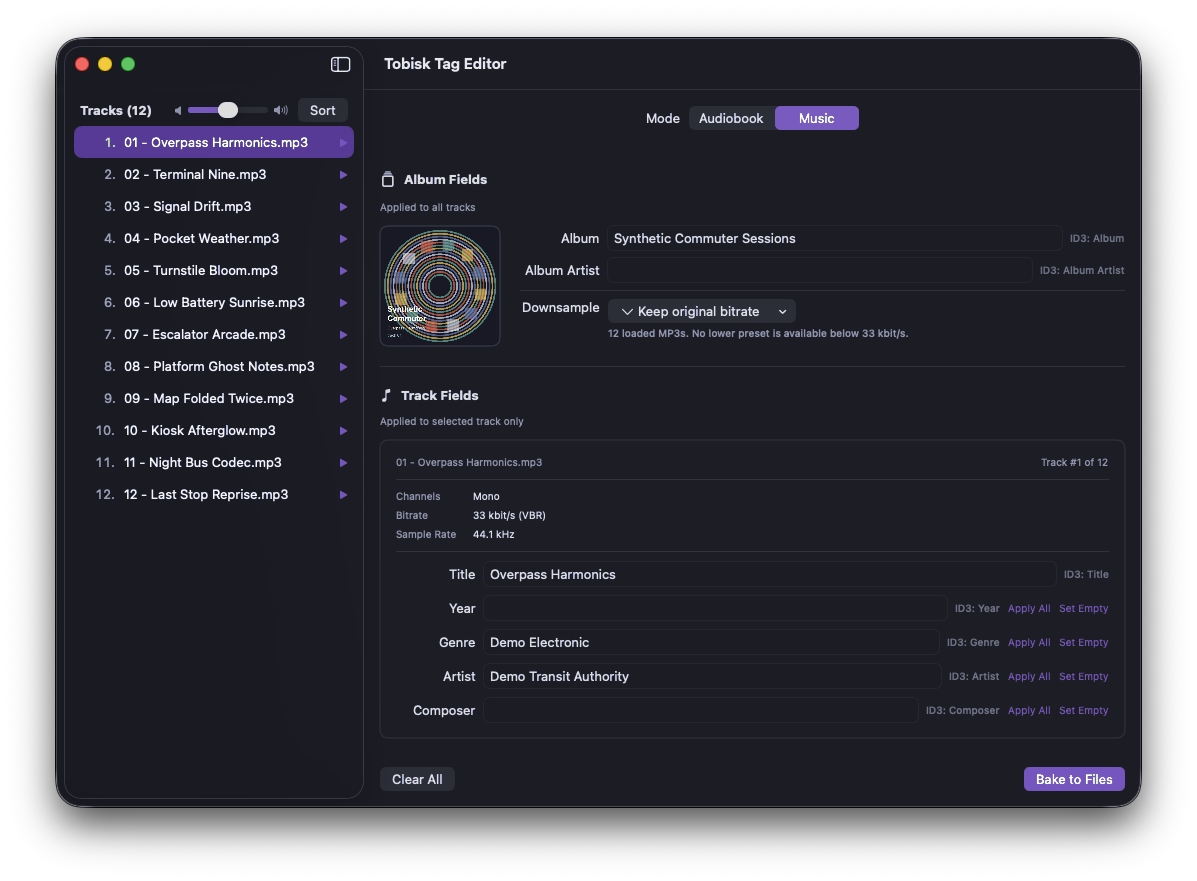
Arrange tracks, set repeated album fields, preview audio and write ID3 tags from one native tagging workspace.
Drop MP3 files or folders into a native SwiftUI macOS interface
Sort by filename or existing track numbers before writing metadata
Switch between audiobook and music tagging modes
Set repeated album, artist, cover-art and metadata fields in bulk
Apply all or fill empty values for per-track fields
Why it exists
I had been using another tool for this job, but it will stop being viable once Apple drops Intel app support. I also wanted a workflow that made track numbers easier to set when preparing audiobook chapters and albums.
Tosk Tag focuses on the repetitive work around MP3 metadata: drop in files or folders, arrange the tracks, preview audio, set common album fields, optionally downsample audio for audiobook-sized files and write ID3 tags directly into the files.
What it does
Tosk Tag keeps the workflow focused: arrange MP3 files, preview audio, set shared metadata and write clean ID3 tags directly into the files.
Drop MP3 files or folders into a native SwiftUI macOS interface
Sort by filename or existing track numbers before writing metadata
Switch between audiobook and music tagging modes
Set repeated album, artist, cover-art and metadata fields in bulk
Apply all or fill empty values for per-track fields
Downsample audio when smaller audiobook files are enough, for example around 128 kbit/s
Preview audio and write ID3v2.3 tags directly to the MP3 files
Open source, ready to explore
Under the hood
I defined the workflow and native app behavior from a user's perspective while agents handled most implementation and structure. The goal was a focused tool that fits the tagging job without becoming a broad media-library application.
AI tools and models
Gemini 3.1 Pro