01
Work across PostgreSQL, MySQL, MariaDB, MongoDB and SQLite in one native Mac application
A native database workbench for macOS
A native database workbench that feels at home on macOS.
A fast SwiftUI and AppKit database client for PostgreSQL, MySQL/MariaDB, MongoDB and SQLite, with the practical details needed for real operational work.
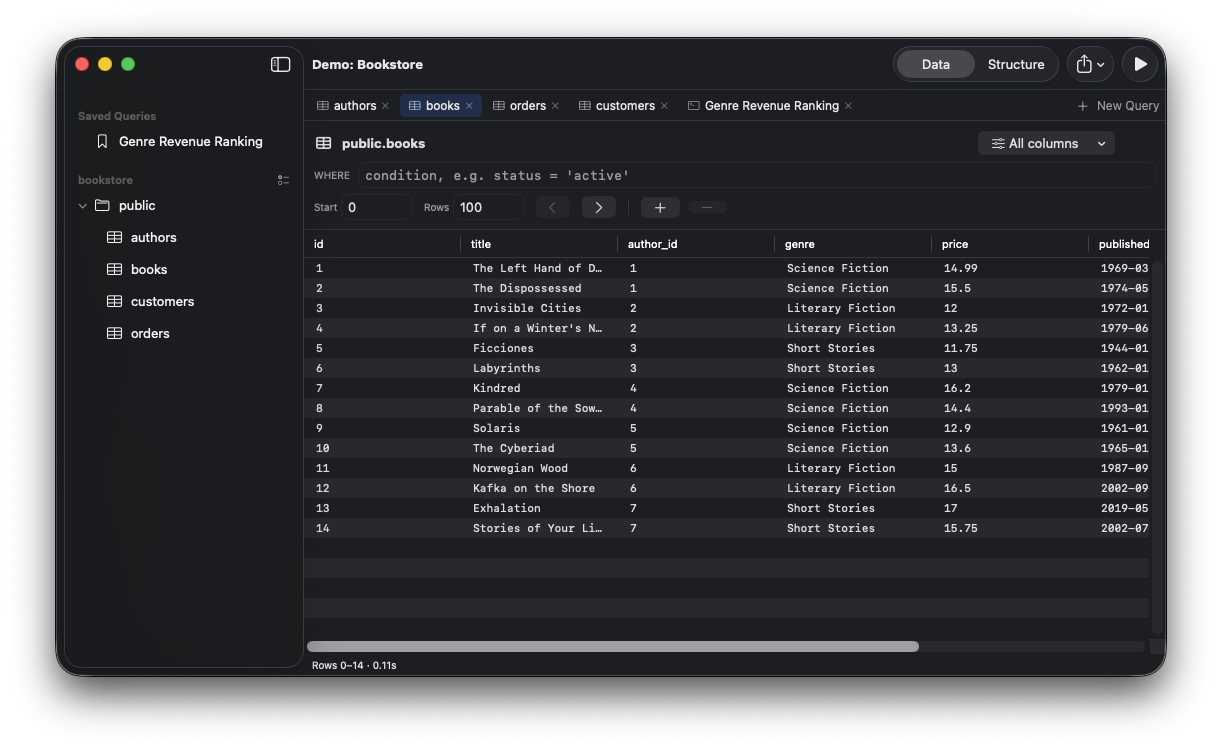
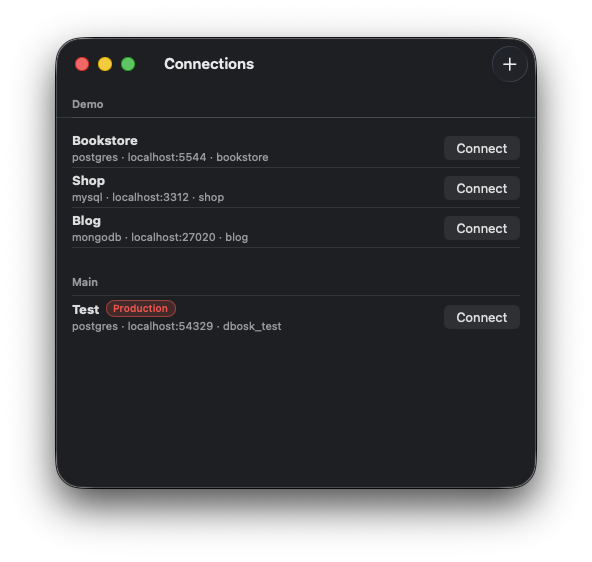
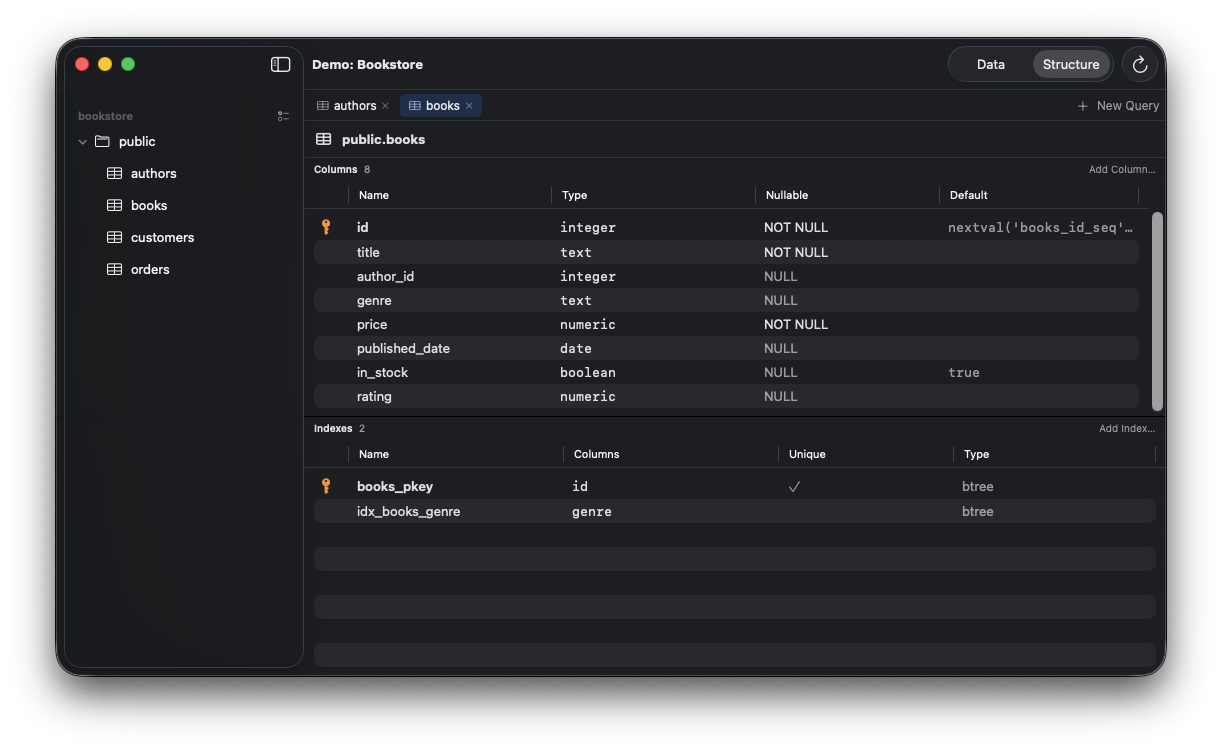
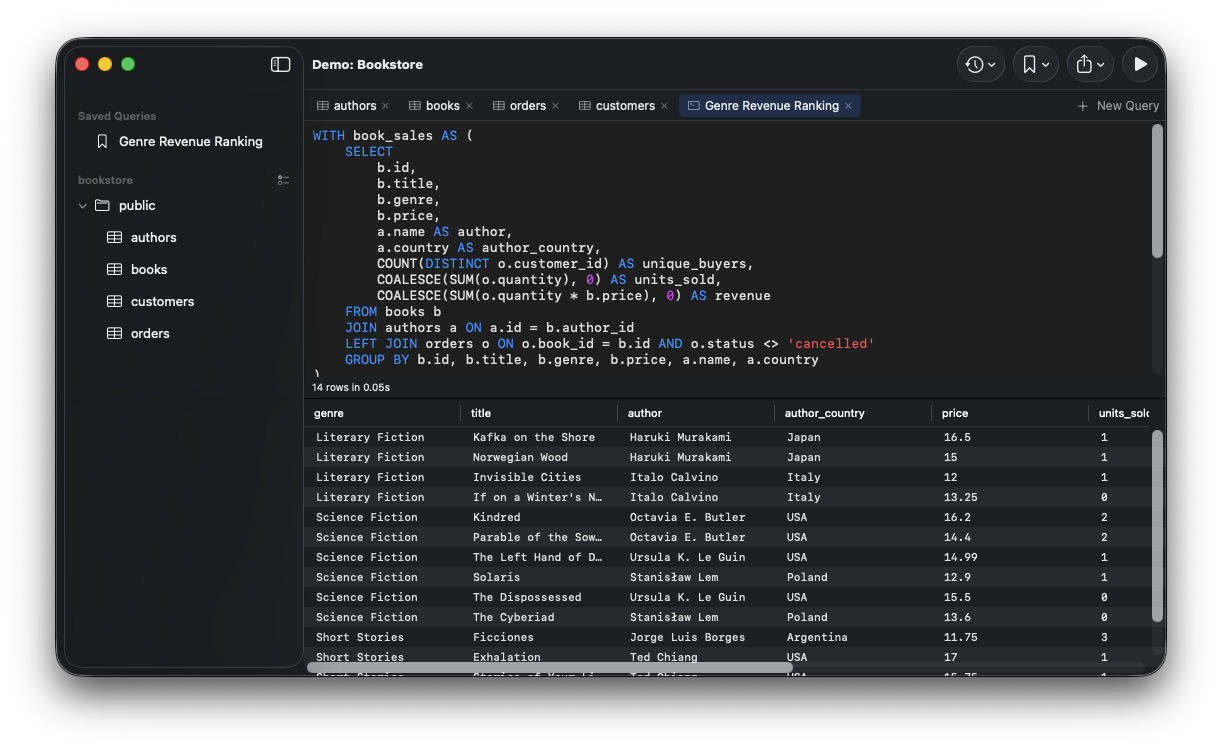
Inside the application
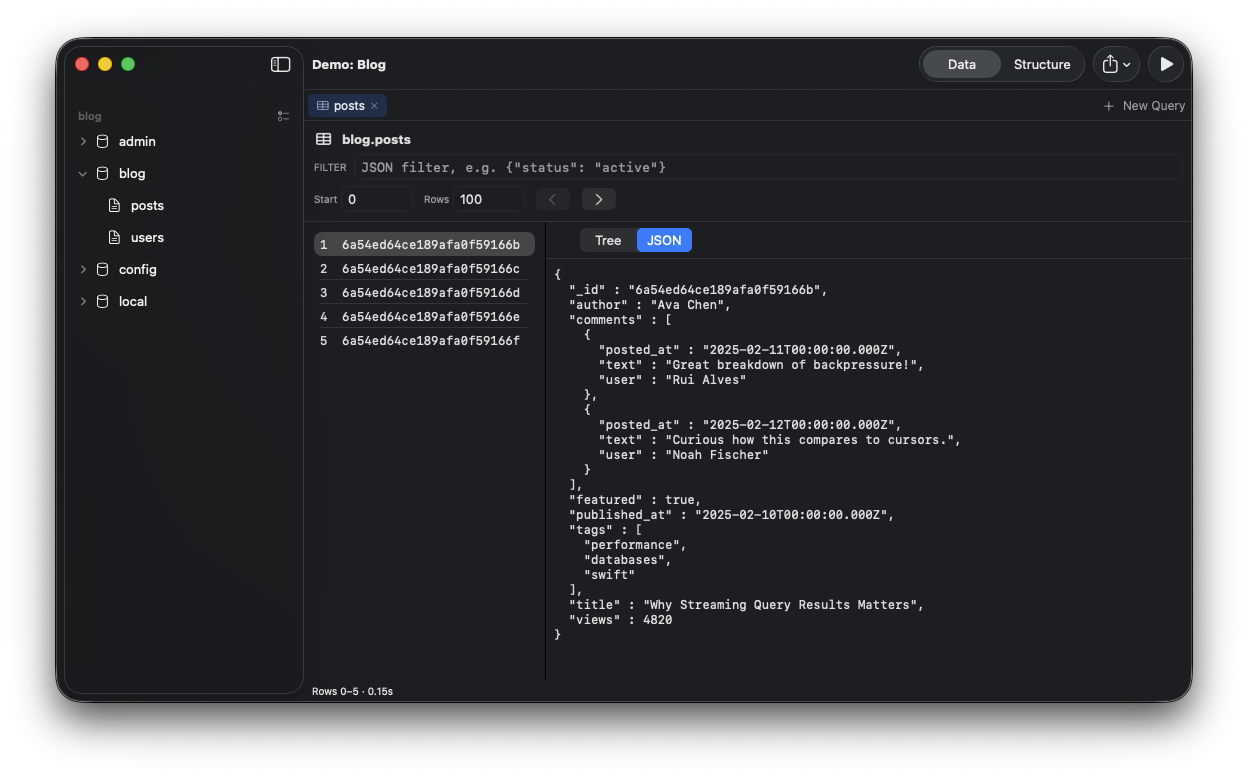
Move from organized connections to table structures, query editing and MongoDB documents in a native interface designed for real database work.
Why it exists
Many database tools make everyday work feel heavier than it should, consuming substantial memory and adding delay to simple navigation. dbOSK was built around the opposite goal: start quickly, stay responsive and keep the resource footprint modest while working across several database engines.
Connections can travel through SSH tunnels, load credentials from shell scripts such as 1Password CLI, or retrieve secrets from AWS Secrets Manager without persisting them locally.
What it does
dbOSK brings the everyday work around a database into one fast, native interface, from finding a table to safely reaching a production system.
Work across PostgreSQL, MySQL, MariaDB, MongoDB and SQLite in one native Mac application
Stream and cancel queries, filter and page through results, then export them as CSV or JSON
Save complex queries and organize tables with notes, groups and visibility controls
Reach protected systems through SSH tunnels using your existing SSH agent and configuration
Load credentials at connection time from scripts, 1Password CLI or AWS Secrets Manager without persisting secrets locally
Open source, ready to explore
Under the hood
An experiment in how far I could push the development of a complete native application through a vibe-coded workflow. I defined how the application should behave and feel from a user perspective, while agents made most of the architectural and code-level decisions needed to get there.
AI tools and models
Claude Code