01
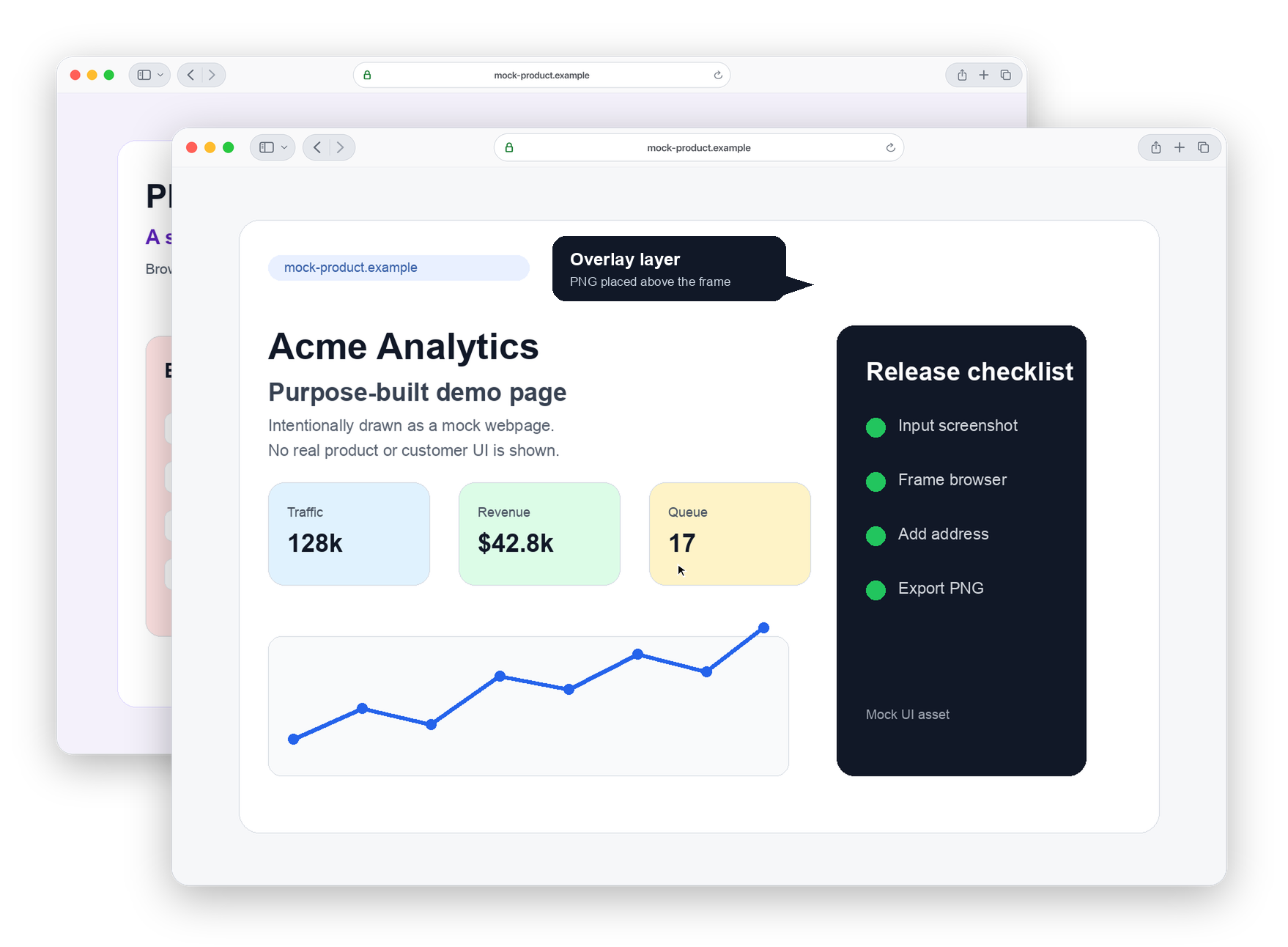
Wrap existing screenshots or UI mockups in realistic or stylized Safari-style frames
Screenshot presentation for project pages
Polished browser and device frames for existing screenshots.
A small command-line tool that wraps screenshots in Safari, macOS or iPhone-style frames, with stacking, masks, overlays and cursor placement.
Why it exists
BrowserShot exists because I needed screenshots for other projects that looked clean and intentional, especially for NAS Drive. The input is already a real screenshot; the tool creates the presentation image around it.
It can frame one image or stack several, add overlays and cursors, crop input edges and render either desktop browser windows or iPhone-style frames.
How it is used
BrowserShot is not another screenshot capture tool. It takes screenshots you already have and builds the polished frame around them.
Wrap existing screenshots or UI mockups in realistic or stylized Safari-style frames
Render desktop browser windows or iPhone portrait frames
Stack multiple screenshots with configurable offsets and scale
Apply masks, overlays and cursor markers without editing the source image
Open source, ready to explore
Under the hood
I needed a small tool with a clear visual output: take existing screenshots and make them look presentable for project pages. The technical path was largely agent-chosen around that concrete result.
AI tools and models
GPT-5.5